A Reunion at the Train Station
For a short romance scene, write the pause before two adult characters recognize each other in the snow. One crosses the platform, they meet beneath the station lights, and the shot settles on a brief kiss.
No photos needed. Write the characters, kiss action, setting, and camera movement.
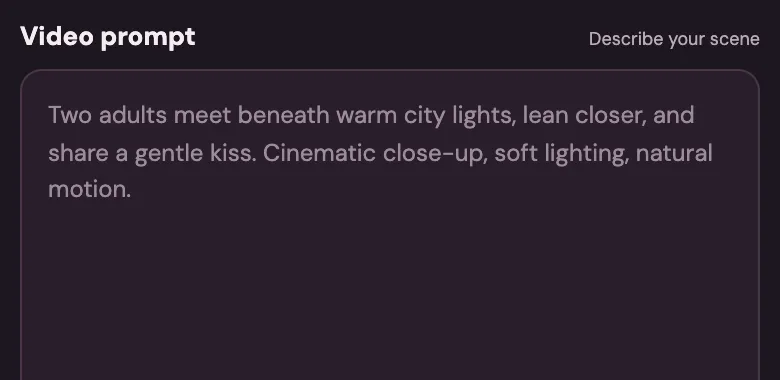
AI kiss text-to-video starts with a written scene instead of photos. Describe the adults, where they meet, how the kiss begins, and what the camera should show. On Kissee, you can edit that prompt and explore a sample video preview.
Describe your scene, choose your video settings, then generate and download your video. No photos needed.

Describe the adults, setting, kiss action, and camera view. Start with your own words or use a template to shape your idea.

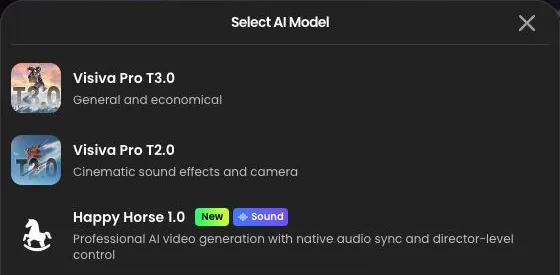
Select a model, then choose the available duration, resolution, and aspect ratio to suit your video.

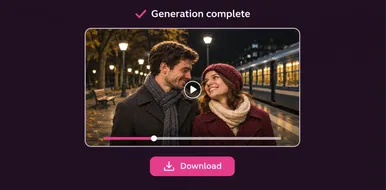
Click Generate to turn your prompt into a video. Once it is ready, download it to save or share.
When the people and place exist only in your imagination, a text-to-video prompt can give the kiss a beginning, a movement, and an ending.
For a short romance scene, write the pause before two adult characters recognize each other in the snow. One crosses the platform, they meet beneath the station lights, and the shot settles on a brief kiss.
A story trailer can hold back its reveal. Describe candlelight, two adult characters moving through a dark hall, then a close-up as they share a kiss. The change from a wide room to their faces gives the moment its shape.
Use a short kiss as a visual break in a romantic music video concept. A couple walks along the shore, turns toward each other, and kisses as the camera pulls back to the sea. Keep the action simple enough to read in a few seconds.
Try a photo-based tool or explore more AI kiss models and concepts.
I love how easy it is to turn a simple text prompt into a video. I just describe what I have in mind, and Kissee helps bring that idea to life. It's made experimenting with new video concepts so much easier!
Sometimes I need a quick visual reference before starting a bigger project. Kissee's text-to-video feature is great for turning my descriptions into actual video clips. It saves me time and gives me more creative directions to explore.
Creating short videos for social media used to take up so much of my time. Now I can simply enter a prompt and generate video ideas in minutes. It's especially useful when I need fresh content for different campaigns.
What I find really useful is being able to experiment with different AI models. The same prompt can produce different results, so I can try different looks and styles until I find something that fits my project. Really handy!
I’m not very experienced with video editing, so text-to-video is exactly what I needed. I can describe a scene in my own words and turn it into something visual without dealing with complicated editing software. It's surprisingly fun to use!
I often have visual ideas that are difficult to explain to others. With Kissee, I can turn those descriptions into video clips and get a better sense of how a scene might look. Having different models to experiment with is a big plus.
You can start an AI kissing video idea with a written scene and no photos. This page lets you edit the prompt and view a sample preview. If you want specific people to appear, Image to Video starts from their photos instead.
Kissee generates an AI kiss video based on your text prompt, selected model, and settings. Once it’s ready, you can watch it in the workspace and download it to save or share.
Name the adult characters and the place, then describe what happens before, during, and after the kiss. Add one camera direction, such as a close-up or a slow pullback.
Give the scene a small sequence: one person turns, they move closer, they kiss, and the camera follows or holds steady. A prompt for Text to Image only needs to describe a single frame.
Yes. Select a video template to fill the prompt field, then rewrite the setting, gesture, lighting, or camera movement to suit your idea.
One setting, two adults, and a clear action are a good start. Add details that change what the viewer sees, such as snow on a station platform or a camera moving from a wide shot to a close-up.
Yes. Write a short scene that fits the role the kiss plays in your story. For a trailer, describe the reveal; for a music video concept, describe the visual cutaway and its movement.
Upload two portraits or a couple photo, choose a kiss template, and create a video to download and share.