01 / USE CASE
A Kiss When You're Miles Apart
You send each other selfies all the time. Use one of each of you to make a video where you're finally in the same frame. Send it before your next visit, or as a little surprise between calls.
 Kissee
You don't need a photo together to share a kiss on screen. Bring two portraits into a couple kissing video, or give a favorite photo of the two of you a new romantic moment.
Kissee's AI couple kissing generator makes a short kissing video from two separate portraits or one couple photo. Choose the people and the scene, and let a shared look lead into a kiss. You can make a surprise for your partner, add a new scene to your anniversary video, or try an idea for a fictional romance.
Bring two separate portraits into one kiss scene.
Start from a couple photo if you already have one.
Choose where the kiss happens and how the pair moves closer.
Start with a reason to send it: someone you miss, a date you remember, or a story you'd love to see on screen.
You send each other selfies all the time. Use one of each of you to make a video where you're finally in the same frame. Send it before your next visit, or as a little surprise between calls.
Your camera roll may hold years of photos together and very few videos of you kissing. Choose a wedding portrait or a photo from a favorite trip and create a new kiss scene. Add it to an anniversary or Valentine's Day message with a few words only the two of you would understand.
Picture a scene with your dream partner, then pair your portrait with an image of a fictional adult character. Or create a romance between two original adult characters. Make individual kiss clips and combine them with photos and other scenes in a video editor to tell a longer story.
Start with two separate portraits or a photo of you together. Then choose the scene you want to make.
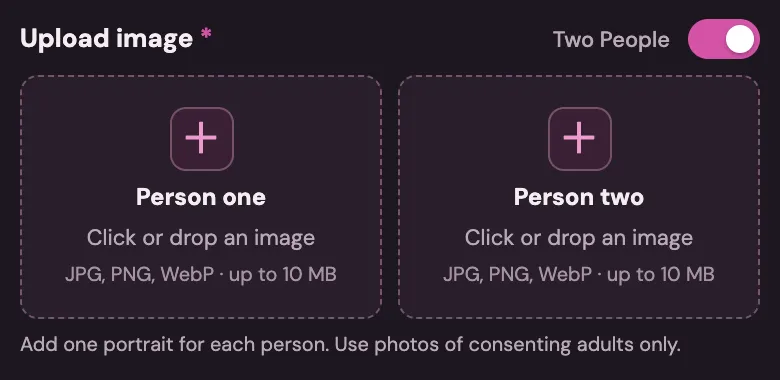
Keep Two People enabled to upload one portrait of each person. Turn it off to use a single couple photo. Choose clear faces, and use photos of consenting adults that you have permission to use.
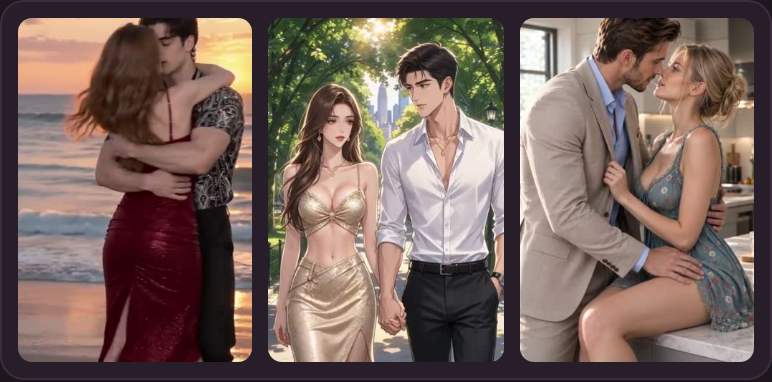
Select the Couple Kissing template and a setting you like. Start with the preset, or edit the prompt to describe where the pair meets and how they move closer.
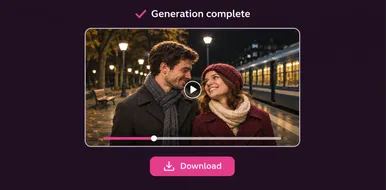
Click Generate to create the kiss scene from your photos. Watch the result, then send the clip on its own or use it in a longer video you're making.
Use the photos you have and choose a scene that feels right for the two of you.
Start with a shared selfie, a wedding portrait, or two pictures taken in different places. The original photos don't need to show a kiss, and you don't have to arrange a shoot together.
Choose a rooftop for an imagined date, a wedding garden for an anniversary, or a reunion scene for someone you've missed. Give the kiss a place in the story you want to tell.
Use the template's preset scene for your first video. When you have a specific idea, edit the prompt to describe the moment in your own words, from the first glance to the kiss.
Give your next clip a different gesture, or start a new scene with words.
Uploading two portraits was simple even though we did not have a recent photo together.
I could compare a rooftop scene with a garden scene before picking one for our story.
The kiss scene gave me a starting point for an anniversary video I wanted to edit with our photos.
Yes. Keep Two People enabled and upload one clear portrait of each person. Choose the Couple Kissing template to bring them into one shared kiss scene. Photos with similar framing and lighting are a useful starting point.
Turn Two People off and upload your couple photo. Choose an image where both faces are easy to see. You don't need to be kissing in the original; a regular photo together can be your starting point.
Yes. Choose a setting reference, such as a rooftop or wedding garden. You can also edit the scene prompt to describe the place you have in mind. A simple setting and a clear action give you a focused starting point.
No. Select the Couple Kissing template to use its preset scene. If you want to change the setting or movement, you can edit the prompt before generating.
Yes. Create the individual clips in Kissee, then arrange them with your photos and other footage in a video editor. Add captions and music there, and trim each clip to fit your anniversary video, slideshow, or fictional love story.
Upload two portraits or a couple photo, choose a kiss template, and create a video to download and share.