Text to Video
A written prompt can describe a short video idea. To explore a fictional adult scene on Kissee, use the Text to Video workspace rather than treating this page as a Grok tool.
 Kissee
Explore bold, non-explicit AI kiss ideas online with two adult portraits or one couple photo. Choose a scene and see how its mood can shape your concept.
On Kissee, Grok AI Uncensored is a search topic for bolder, non-explicit kiss-video ideas. This is an independent Kissee preview, not an official Grok or xAI tool, and it does not use Grok models. Here, uncensored means adult-only romantic tension, close framing, and a gentle lean-in; it never means unrestricted or sexually explicit content.
The following categories describe Grok Imagine at a high level for context only. They are not available in this independent Kissee preview.
A written prompt can describe a short video idea. To explore a fictional adult scene on Kissee, use the Text to Video workspace rather than treating this page as a Grok tool.
An image-to-video workflow begins with a still image, movement direction, and framing. This Kissee page offers an illustrative preview only, not a Grok-generated result.
Visual style can change the tone of a scene, from cinematic to anime-inspired. Explore relevant Kissee tools for currently available creation options.
Audio availability depends on the tool and model you use. Check the selected Kissee workflow for its current creation options.
Choose authorized photos, set a romantic mood, and open the labeled sample preview to refine your idea.
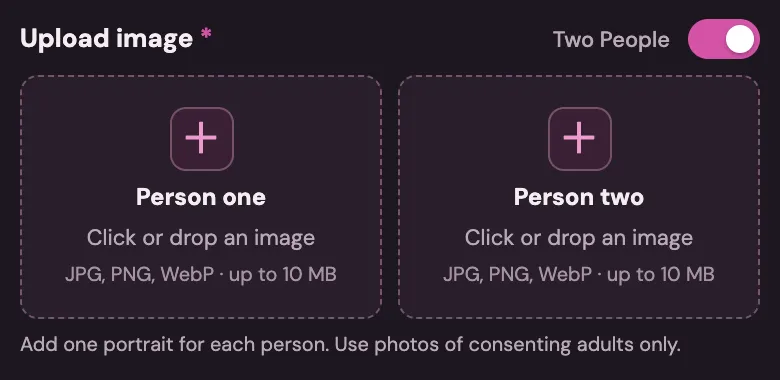
Select two adult portraits you are allowed to use, or one couple photo showing both consenting adults.
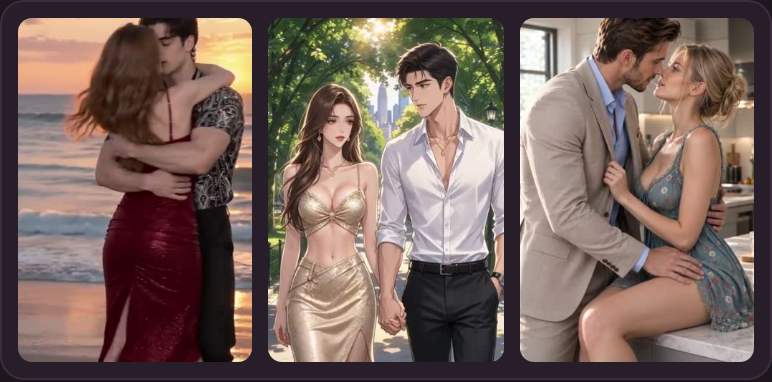
Pick a kiss template, then consider its setting, lighting, movement, and camera view.
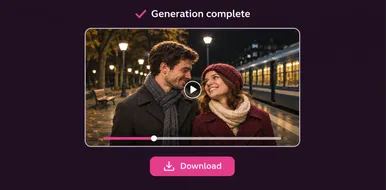
Review the illustrative sample as a scene reference. It is not generated from your photos or by Grok.
Find non-explicit adult scene concepts in an independent workspace with clear preview labels, photo-consent guidance, and related creation tools.
Use two authorized adult portraits or one couple photo for a preview, or describe fictional adult characters in the Text to Video workspace.
Browse kiss gestures and visual moods, then select a template that matches the atmosphere you want to explore.
The sample is clearly labeled as illustrative, so you know it is not generated from your photos or by Grok.
Find an online tool that matches your starting point: photos for image-to-video, a written idea for text-to-video, or a related kiss style for more scene inspiration.
Different ways to approach a bold, non-explicit kiss scene.
I could compare the mood of each kiss scene before deciding which one fit our photo best.
The consent reminder made it clear that I should only use photos I am allowed to upload.
The preview gave me a simple reference for lighting and framing without making me assume it was the finished result.
I liked having a non-explicit way to explore a bolder romantic video idea online.
This page is part of Kissee’s AI video creation platform. You can find the available models and features in the workspace. For official Grok product information and updates, please refer to xAI.
Yes. Select two adult portraits only when you are authorized to upload them and each identifiable person has agreed to this intimate use.
Yes. Turn off Two People and choose one clear photo showing both consenting adults.
Yes. Use the Text to Video workspace to describe a fictional scene involving adult characters.
No. It is an illustrative Kissee sample, not a Grok output and not a result made from your uploaded photos.
Only if that person has specifically agreed to this intimate use of their likeness. A public image does not grant that permission.
Visit Content and Safety for guidance on adults, consent, and permitted photo use.
Upload two portraits or a couple photo, choose a kiss template, and create a video to download and share.