AI Sexy Kiss Video Generator

Give your next 'thinking of you' message a kiss to go with it. Turn a couple photo or two portraits into a sexy kiss video with Kissee.

01Upload your photos
Two People

Person oneClick or drop an imageJPG, PNG, WebP · up to 10 MB

Person twoClick or drop an imageJPG, PNG, WebP · up to 10 MB

02Choose a kiss style
Edit prompt, model & settings
03Generate your AI Kiss video

What Is an AI Sexy Kiss Video Generator?

Kissee's AI sexy kiss video generator makes a short, flirtatious kissing scene from a couple photo or two portraits. A shared look and a gradual move closer set the mood before the kiss. Start with photos you like, choose a scene, and make a clip for your partner or a romantic story.

  1. 01

    Start with a look

    One couple photo or two separate portraits.

  2. 02

    Move closer slowly

    No kissing pose needed in the original image.

  3. 03

    Keep it tasteful

    A short romantic clip to send or build into a story.

What Will You Make with Your Sexy Kiss Video?

A little flirting can start with a photo. Make something for your partner, a special evening, or a story you've been imagining.

01 / USE CASE

A Little Flirting on an Ordinary Day

Turn an ordinary Tuesday into an excuse to flirt. Make a kiss video from a favorite photo and send it with a short 'Thinking of you.' It works as a little surprise whether you're across the room or miles apart.

02 / USE CASE

An Anniversary with First Date Energy

You have plenty of photos together. Give one of them a new moment. Make a kiss clip for an anniversary or Valentine's Day message, and remind your partner that you still have a crush on them.

03 / USE CASE

The Romantic Scene You've Been Picturing

Pair your portrait with an image of a fictional adult partner to make the scene you've been imagining. Keep the kiss as its own clip, or work it into a longer romance with photos, music, and other scenes in a video editor.

How to Make Your Sexy Kiss Video

Start with the people you want in the scene. Your photos and chosen template give the video its starting point.

01
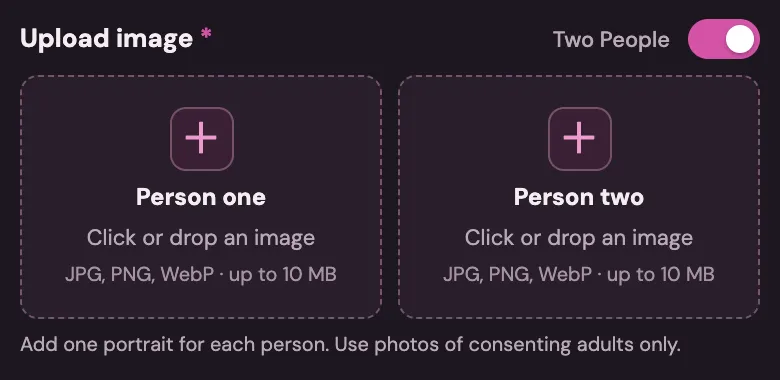
Upload fields for two portraits or one couple photo

Step 1. Upload Your Photos

Add a couple photo or one clear portrait of each person. Choose visible faces and similar framing where possible. Use photos of consenting adults that you have permission to use.

02
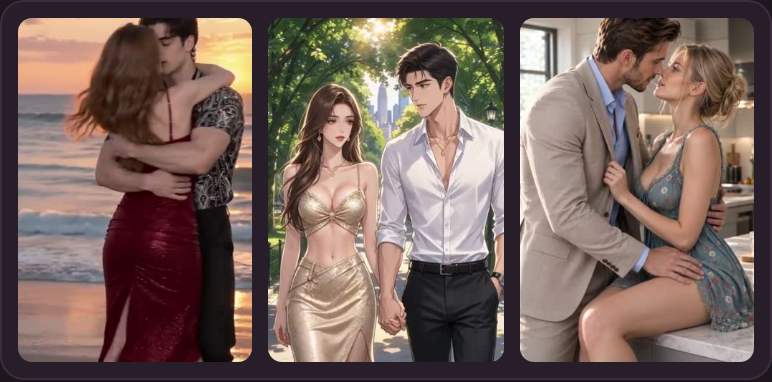
Three AI kiss template previews

Step 2. Choose Your Sexy Kiss Scene

Choose the Sexy Kiss template or a scene that fits the feeling you want. A familiar photo from a date or a night out can be a good place to start.

03
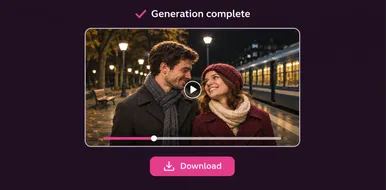
Illustrative AI kiss video preview

Step 3. Generate Your Kiss Video

Click Generate to create the scene from your photos. Watch the result, then choose whether to send the clip on its own or add it to a video you're putting together.

Set up your Sexy Kiss video

Why Create Your Sexy Kiss Video with Kissee?

Use a photo you already love to make a romantic clip you can put your own words to.

No Camera Between You

Make a romantic scene from photos already in your camera roll. You don't need to stage a kiss, find someone to film it, or wait for the perfect occasion.

The Moment Before the Kiss

The Sexy Kiss preset is built around a held gaze, a gradual approach, and the kiss itself. It gives your scene a romantic starting point without planning every movement from scratch.

Your Photos, Your Message

Use the clip on its own or add a shared joke, a date, or a favorite song in your video editor. Those small details are what make the video yours.

More Ways to Make Your Kiss Scene

Try another kind of kiss or start the next scene from a written idea.

Sexy Kiss Video: Creator Perspectives

Questions About Making Your Sexy Kiss Video

What does 'hot kiss' mean here?

Hot kiss and sexy kiss describe the mood: a shared look, a slow approach, and a romantic kiss. In Kissee, choose the Sexy Kiss preset to start with that kind of scene.

Can I use two separate portraits?

Yes. Keep Two People enabled and upload one portrait of each person. If you already have a couple photo, turn Two People off and use that image instead.

Do we need to be kissing in the original photo?

No. A regular couple photo or two individual portraits can be your starting point. Choose clear images with visible faces; the selected template supplies the kiss scene.

Can I choose a different mood?

Yes. Choose another template or scene reference before generating. Look for one that suits your photos and the feeling you want to create.

Can I use the clip in a longer romantic video?

Yes. Create the kiss clip in Kissee, then combine it with your photos, music, and other footage in a video editor. Add a title or a personal message, and trim the scenes to fit the story you're telling.
Create Your AI Kiss Video Online

Upload two portraits or a couple photo, choose a kiss template, and create a video to download and share.