01 / PHOTO ANIMATION
Animate a Still Couple Photo
Start with a clear photo in which both adults are visible. In Fotor's photo-animation workflow, describe the motion you want to see and review the available controls before creating your video.
 Kissee
Looking for a Fotor AI kissing generator online? Explore Fotor's photo-animation options, then try Kissee online for free with two adult portraits or one couple photo.
Fotor publishes photo-animation and image-to-video tools that can animate a still image with a written motion direction. This page is an independent guide, not a Fotor product page. Kissee offers an online workspace you can try for free: add two adult portraits or one couple photo, choose a kiss scene, and preview the selected sample.
Fotor's published image-to-video tools can animate a still photo with a motion direction. For current effects and template availability, check Fotor's live pages.
Start with a clear photo in which both adults are visible. In Fotor's photo-animation workflow, describe the motion you want to see and review the available controls before creating your video.
When you use an image-to-video tool, a short prompt can describe movement, lighting, and camera framing. Keep the request specific to the photo so the intended action is easy to understand.
Templates can provide a quick starting point for photo animation. Check Fotor's current template library to confirm which effects are available before planning a specific kiss scene.
Try the workspace online with available Kissee credits: choose your photo setup and a kiss scene, then review the selected sample before you explore another tool or style.
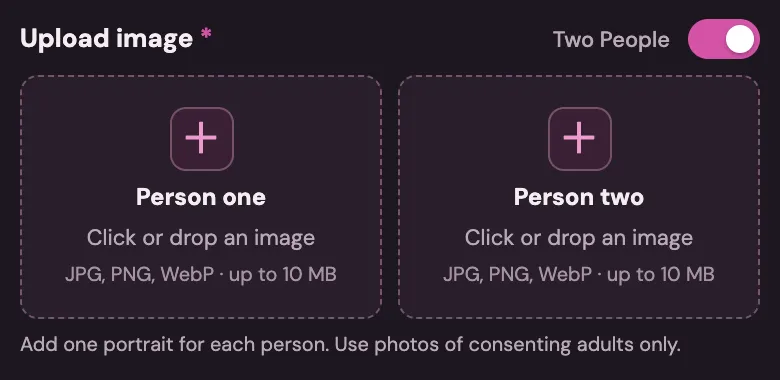
Upload one clear portrait for each person, or turn off Two People and use one couple photo. Only use images you have permission to use.
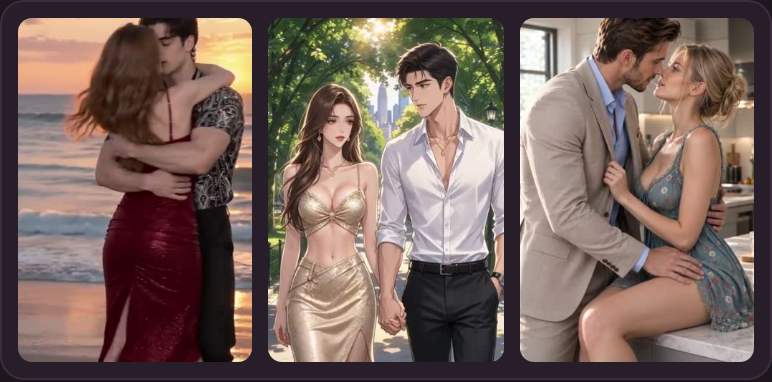
Compare the available template previews, then select the gesture or setting that best fits your photo setup.
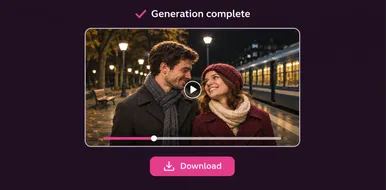
Select Preview to open the sample clip for your chosen scene on this page. The preview illustrates the template; it is not generated from your uploaded photos.
A short kiss scene can add a personal touch to an anniversary message, a wedding montage, or a welcome-home note. Start with authorized photos and choose a mood that suits the occasion.
Turn a favorite couple photo into a gentle scene idea for a personal note.
Use a wedding portrait as the starting point for a short kiss-scene concept in a reception slideshow or keepsake.
For a long-distance reunion, choose a slower approach that keeps the two people and the moment in focus.
Start with the format that matches your source material: photos for image-to-video or image-to-image, and a written idea for text-to-video.
These comments illustrate the Kissee page experience; they are example reviews, not verified customer testimonials.
I could compare the kiss scenes side by side before choosing the one that fit our photo.
Uploading one couple photo made the setup feel quick and simple.
The short previews helped me choose a gentle moment without guessing.
Trying Kissee online was an easy way to explore the templates before deciding what to create.
Fotor's published image-to-video tools let you begin with a photo and a motion direction. Check Fotor's live pages and template library for the effects available today. This Kissee page is an independent alternative workflow for planning a kiss scene.
Yes. Use Kissee online to choose an authorized photo setup and a kiss template. This preview page opens a sample clip for the selected scene; it does not create a video from your uploaded photos.
For a still-image workflow, open Kissee's AI Kiss Image Generator. For Fotor-specific image tools, review Fotor's current product pages to confirm the available image-combining options.
No. Kissee is an independent site. This page explains Fotor's published photo-animation options and introduces related kiss-video planning tools available on Kissee.
Visit Kissee Examples for a broader set of scene previews, or explore a specific style such as Romantic Kiss or Wedding Kiss. Choose the page that best matches your source material and occasion.
Upload two portraits or a couple photo, choose a kiss template, and create a video to download and share.