AI Anime Kissing Generator

Some stories stop just before the kiss. Make the scene you wanted to see with Kissee. Start with a couple photo, two portraits, or character artwork, and turn them into a short anime kissing video.

01Upload your photos
Two People

Person oneClick or drop an imageJPG, PNG, WebP · up to 10 MB

Person twoClick or drop an imageJPG, PNG, WebP · up to 10 MB

02Choose a kiss style
Edit prompt, model & settings
03Generate your AI Kiss video

What Is an AI Anime Kissing Generator?

Kissee's AI anime kissing generator turns photos or character artwork into a short, illustrated kiss scene. You can start with two separate portraits or one image of a couple. Make an anime romance starring you and your partner, or give the characters in your artwork a moment beyond the still image.

  1. 01

    Choose the art

    Start with photos or character artwork.

  2. 02

    Keep a consistent look

    Use one couple image or two portraits.

  3. 03

    Give the kiss a beat

    Make a short anime kiss scene.

What Will You Make with Your Anime Kiss Video?

An anime kiss can be a gift, a missing scene, or the next part of a story you're making.

01 / USE CASE

Write Yourself into an Anime Romance

Step into the story you've been imagining. Bring your portrait together with an image of a fictional adult partner and make an anime kiss scene starring the two of you. Keep it as a personal daydream or use it to start a story.

02 / USE CASE

A Gift for the Person Who Watches with You

You have a favorite series, a shared joke, and a photo you both love. Turn that photo into an anime kissing video for their birthday, your anniversary, or Valentine's Day. Add a message that sounds like you.

03 / USE CASE

Give Your Characters the Scene They're Waiting For

Your characters have a history. Now give them a moment on screen. Animate a kiss from your original character art, then work the clip into a fan edit, an anime music video (AMV), or a longer romance using a video editor.

How to Make an Anime Kissing Video

Choose the two people or characters you want in the scene. Then start with their images.

01
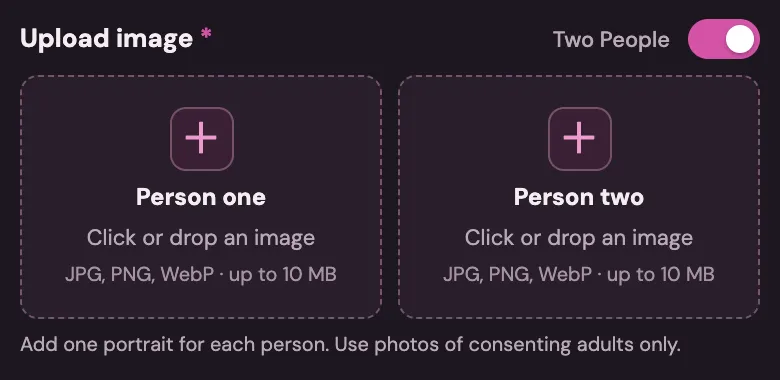
Upload fields for two portraits or one couple photo

Step 1. Add Your Photos or Character Art

Upload one couple image or a separate portrait of each person. Choose clear faces and similar framing where possible. Use images of adults, and get permission when using photos of real people.

02
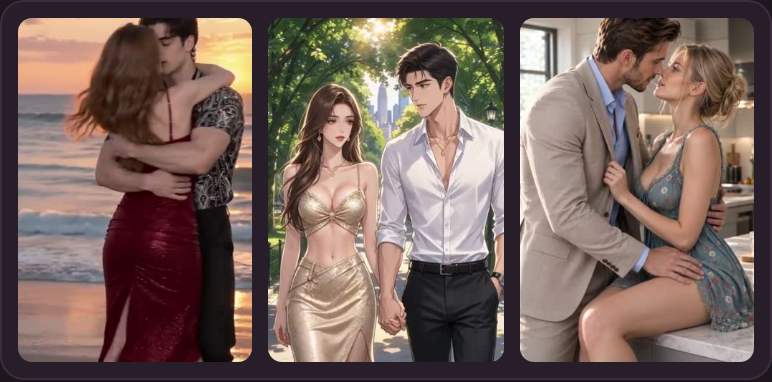
Three AI kiss template previews

Step 2. Choose the Anime Kissing Template

Select the anime kissing template for an illustrated romance. The preset gives you a scene to start with, so you can create your first clip without writing a prompt.

03
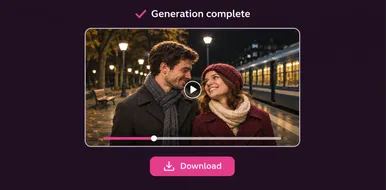
Illustrative AI kiss video preview

Step 3. Generate Your Anime Kiss

Click Generate to create the clip. Watch how the characters move, then use the result as a gift or add it to the story you're editing.

Set up your AI Anime Kissing scene

Why Make Your Anime Kiss Video with Kissee?

Bring the images you already have. Give the people or characters in them a scene of their own.

A Place for Your Own Characters

Start with portraits, couple photos, or art you've created. Your images give the scene its characters, whether you're making an anime version of yourselves or continuing a romance you've drawn.

Let Kissee Animate the Kiss

The anime kissing preset handles the movement. You can make a romantic clip without drawing every pose or learning animation software.

A Clip for a Bigger Story

Keep the kiss as a standalone clip, or take it into your video editor. Put it between illustrated scenes, match it to a song, or use it as the last shot of an AMV.

More Ways to Build Your Romance

Make a still scene, start from a written idea, or try a kiss with a different look.

Anime Kissing Video: Creator Perspectives

Questions About Making an Anime Kissing Video

Can I use real photos, or do I need anime pictures?

You can start with real photos or character artwork. Use a couple image or two individual portraits, then choose the anime kissing template to give the scene an illustrated look.

Can I make two original characters kiss?

Use one clear image of each adult character with Two People enabled. If your artwork already shows both characters together, turn that option off and upload the shared image. Similar drawing styles give you a more consistent starting point.

Will the characters look exactly like my images?

Your images give Kissee a visual reference, but the anime interpretation and movement can change details. Start with clear faces and review the result before adding it to your finished video.

Do I need to write a prompt?

No. Choose the anime kissing template to begin with its preset scene. You can make a first clip from your images without having to describe every pose or movement.

Can I use the clip in an AMV or a longer story?

Yes. Create your clips in Kissee, then arrange them with your artwork, photos, and music in a video editor. You can place a kiss between story scenes or use it as the ending. Add captions and sound in your editor.
Create Your AI Kiss Video Online

Upload two portraits or a couple photo, choose a kiss template, and create a video to download and share.