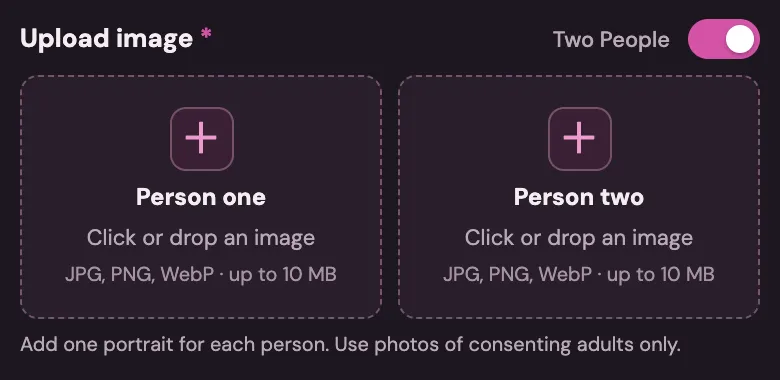
Step 1. Upload Your Photos
Add one clear portrait of each person, or turn off Two People and upload one couple photo. Only use photos of consenting adults that you have permission to use.
 Kissee
Create a Kling AI kissing video online with Kling 3.0. Upload two adult portraits or one couple photo, choose a kiss scene, and bring your romantic video idea to life for free.
A Kling AI kissing video is a short AI video made from two adult portraits or one couple photo. With Kling 3.0 selected, you can choose a kiss scene, guide the movement, and create a romantic video online for free with Kissee.
Kling 3.0 helps turn photo references into expressive kiss-video scenes, with controls for recognizable people, natural movement, and more cinematic framing.
Begin with clear adult portraits or one couple photo so the people, styling, and mood stay consistent throughout your Kling AI kiss video.
Choose a scene with a clear starting moment, approach, and final kiss. The template gives the video a natural sequence without requiring a long prompt.
Select a kiss scene that suits your photo, from a gentle look and slow approach to a closer romantic moment.
Start with your photos, choose a kiss scene, and create a free Kling AI kiss video in three simple steps.
Add one clear portrait of each person, or turn off Two People and upload one couple photo. Only use photos of consenting adults that you have permission to use.
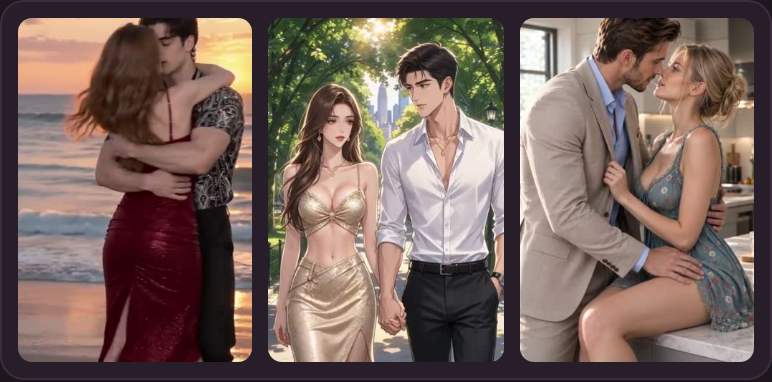
Pick the Kling AI kissing template that matches the feeling you want: a gentle approach, a romantic close-up, or a more cinematic moment.
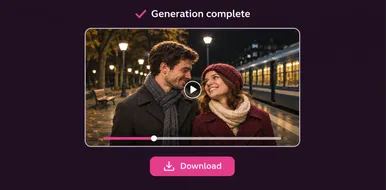
Click Create for Free to turn your photo and scene choice into a Kling AI kiss video you can watch, share, or add to a longer edit.
Get started online for free with Kling 3.0 selected, flexible photo input, ready-made kiss scenes, and a simple creation flow in one place.
Open the page and start with Kling 3.0 already selected, so you can focus on your photos and scene instead of setup.
Browse ready-made scenes for French kisses, romantic moments, rainy streets, and more, then choose the one that suits your idea.
Use the photo setup you already have. Kissee makes it easy to create a Kling AI kiss video from either option.
Try another online creation mode, compare AI kiss models, or find a style that fits your next video idea.
These sample comments illustrate the page experience. They are not testimonials from real customers or reviews of Kling-generated results.
I could upload our photos, choose a Kling AI kiss scene, and get started without sorting through model settings first.
The templates helped me turn one simple idea into a short romantic video with a clear beginning, middle, and final kiss.
Using one couple photo made the setup quick, while two portraits gave me another way to create the same moment.
Trying the Kling AI kiss workflow online helped me compare scenes before deciding which one to make.
Kling 3.0 is selected by default, so you can start building your Kling AI kiss video without choosing a model first.
Yes. Turn off Two People and upload one clear photo showing both consenting adults. You can also upload two separate portraits.
No. Choose a kiss scene template to start with its ready-made visual direction. You can focus on the photos and the mood you want to create.
Yes. Upload authorized adult photos, choose a scene, and start your Kling AI kiss video online with Kissee for free.
Yes. Choose the French Kiss template, upload your photos, and use Kling 3.0 to create a romantic kiss-video scene online.
Upload two portraits or a couple photo, choose a kiss template, and create a video to download and share.