PERSONAL MESSAGE
An Anniversary Note with a Familiar Face
Use a couple photo you both know well. The look you give each other, a smile, and a brief kiss can say more than an elaborate scene.
 Kissee
Start with a couple photo or two adult portraits. Choose a kiss style, then describe the moment in your own words.
Start with one authorized couple photo. Choose a model to see its supported photo inputs. Start/end frames guide a video’s beginning and ending; they are not separate-person photos.
An AI kiss video from photos starts with a still image rather than a written scene. A couple photo or two portraits establish the people and opening frame; your chosen style and prompt describe how they move toward the kiss.
Upload your photos, choose a template and write a prompt, then generate and download your video.
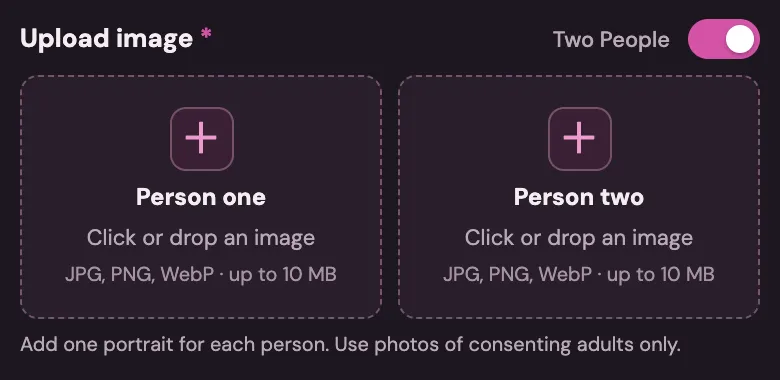
Add one couple photo or two separate adult portraits. Choose clear images where both faces are easy to see.
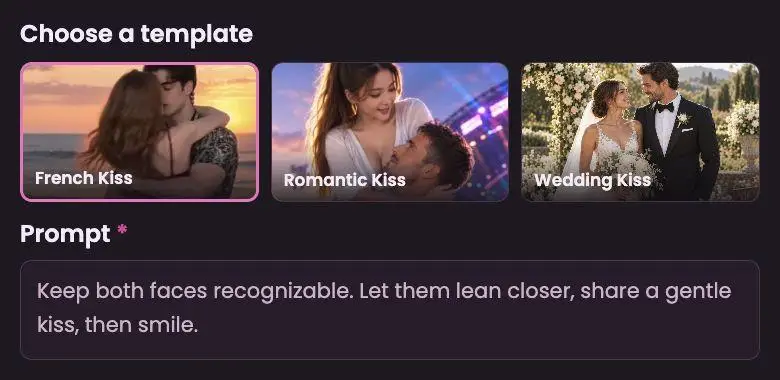
Pick a kiss template, then describe the movement in your prompt. Add a smile, a slow lean-in, or a close-up camera view.
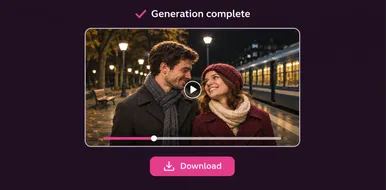
Choose your video settings and click Generate. Once your video is ready, download it to save or share.
You might use a photo-to-video kiss scene in a personal message, a story, or a short social edit. The photo anchors who appears; the selected template defines the action and visual style.
Use a couple photo you both know well. The look you give each other, a smile, and a brief kiss can say more than an elaborate scene.
For a story or comic, two portraits of your original adult characters establish who shares the scene. Choose a template whose action and camera view fit the moment before the kiss.
A travel photo already has a place and mood. Keep the skyline or landscape in view, then add one small gesture so the scene still feels like your memory.
Try another creation mode or explore more AI kiss models and concepts.
I regularly create content for social media, and sometimes coming up with fresh visuals is the hardest part. Kissee gives me plenty of ideas to work with. It's become a handy tool whenever I need something creative without spending too much time.
I really appreciate having multiple AI models to choose from. Different models give me different results, which is great when I'm not quite sure what style I want. It gives me more room to experiment instead of being limited to one approach.
I used to spend a lot of time trying different tools just to get one image or video right. Kissee has helped simplify my workflow. I can test ideas, switch styles, and create content much faster than before.
Sometimes I have an idea in my head but don't know how to bring it to life. Browsing through Kissee's templates usually gives me a good starting point. I've ended up creating things I probably wouldn't have thought of on my own.
I started using Kissee just to try out its AI video features, but ended up exploring the image tools too. There's a lot to play around with, and I like having so many creative options in one platform. It's been a fun addition to my creative workflow.
Add a couple photo or two portraits, then choose a kiss template with the movement you want. Kissee lets you review a sample video on the page after you set up the scene.
Yes. Turn off Two People and add one photo that shows both adults. Leave it on if you want to start with a separate portrait of each person.
Choose clear photos where both faces are easy to see. If you use two portraits, similar lighting and framing make it easier to plan a scene that feels consistent. Only use photos you have permission to use.
Choose a template that shows the kiss action, setting, and camera view you want. Each template fixes those generation details.
If you want to start with words alone, use Kissee's Text to Video page to describe the people, setting, and kiss scene.
Yes. The required credits depend on your selected model and settings. You can check the credit cost before generating your video.
Yes. Your selected photos are uploaded to Kissee and used to generate your video.
Upload two portraits or a couple photo, choose a kiss template, and create a video to download and share.